

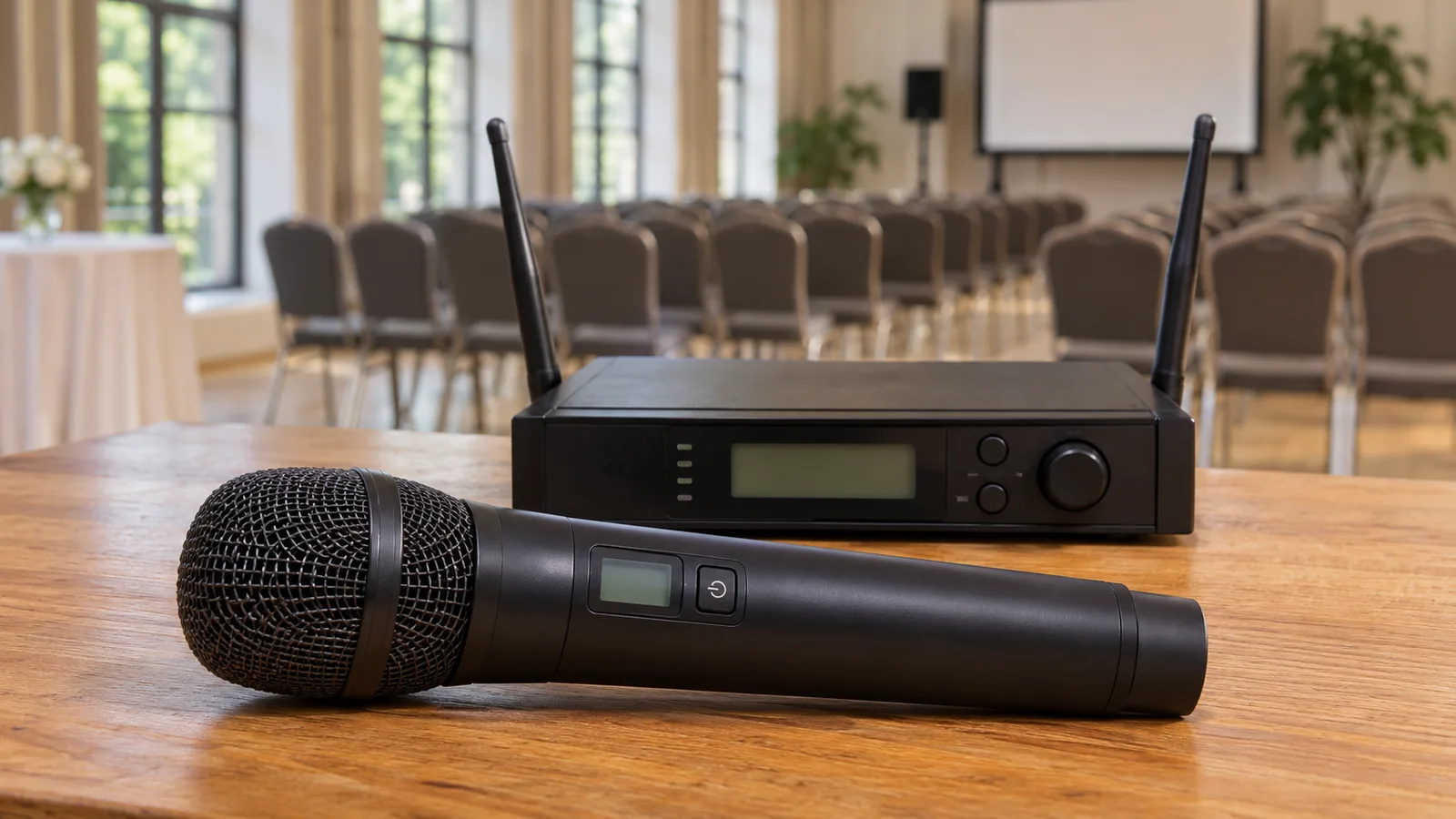
Which microphone suits your event?
Start with the running order. Use a handheld if people will pass the microphone around. A wired mic works at a fixed stand if you can route its cable clear of walkways. If someone needs both hands free, choose a headset or lavalier and consider where the speakers will sit and how much room sound the microphone will pick up.
| Type | Best suited to | What to check |
|---|---|---|
| Wireless handheld | An MC, toasts, audience questions and vocals. | A matched receiver, enough channels and a mic that is easy to pass around. |
| Headset | Hands-free presentations, demonstrations and performances. | A secure fit, a capsule that stays close to the mouth and a connector that fits the transmitter. |
| Clip-on (lavalier) | Interviews, filming and quieter presentations where discretion matters. | Clothing noise and how far you can turn it up before feedback. |
| Wired handheld | A lectern, vocals at a stand or a backup. | Enough XLR cable and a safe route for it. |
A headset moves with the speaker, keeping the distance to their mouth fairly steady. A lavalier sits farther away. The voice can become quieter when the speaker turns their head, and clothing can rustle against the capsule. On a loud stage, start by testing a directional handheld or headset close to the mouth.
Wireless or wired Shure microphone?
| Model | Connections and power | Listing details |
|---|---|---|
| Shure BLX24R/SM58 | Single-channel analogue UHF system with a BLX2/SM58 transmitter and BLX4R receiver. The receiver has XLR and 6.35 mm outputs. The transmitter takes two AA batteries. | Vilnius, Verkiai. €20/day, €50 deposit, 1–14 days. The owner describes a complete kit with a case. Pickup, or owner delivery up to 300 km (€0.50 per km). |
| Shure SM58 | Wired cardioid dynamic microphone. Connect via XLR to a mic input. No batteries or phantom power required. | Vilnius, Žirmūnai. €10/day, no deposit, 1–60 days. The listing names the mic, stand clip and case. Ask about the XLR cable. Pickup, or owner delivery up to 100 km (€0.50 per km). |
Both use an SM58 dynamic cardioid capsule that picks up most strongly from the front. At a lectern, the wired SM58 saves you from setting up a receiver and managing batteries and frequencies. The BLX lets you walk among the audience or pass the mic around. Prices and terms were checked on 11 November 2026. See the microphone rental category for more offers.
How many microphones does your event need?
Count the people who need to be heard at the same time. Five speakers taking turns can share one mic. Two singers performing together need two mics and two independent receive channels, which can be housed in one dual-channel receiver.
- Weddings. One handheld can cover the MC and toasts if people take turns. Add a second channel if the MC will interview a guest and both need to be heard at the same time.
- Conferences and presentations. Try a headset for a demonstration and a handheld for audience questions. If everyone on a panel may speak up at any time, plan a separate channel for each panellist and the moderator.
- Karaoke. A duet needs two mic channels and a separate music input. Check that the speaker or mixer accepts all three signals at once and lets you adjust vocals separately from the track.
- Performances. A wired mic suits a vocalist at a stand. Test a wireless mic with the stage monitors if the vocalist moves around. Have a technician coordinate frequencies for several systems, especially when the performers also use wireless in-ear monitors.
- Outdoor events. Fit a windscreen, plan a sheltered place for the receiver and test reception along the MC's entire route. For a ceremony, keep a wired spare connected and ready.
How do you connect a wireless microphone to a speaker?
The microphone capsule converts sound into an electrical signal. A wireless handheld has a transmitter inside its body. A headset or lavalier often connects to a beltpack transmitter. The receiver picks up the radio signal and sends audio by cable to the mixer or to a speaker with a compatible input.
A mixer gives you separate controls for microphones and music. Its output can feed a powered speaker with a built-in amplifier. A passive speaker needs a separate amplifier. If the venue has a PA, ask the technician which input is free and who will control it.
If you need more inputs, see the DNA HLC-8 MK2 mixer listing and check which inputs your setup requires. The speaker rental guide covers room coverage and setup. You can also browse speaker rentals and the audio and event equipment catalogue.
UHF or 2.4 GHz? Analogue or digital?
The band tells you where the radio link operates. Analogue and digital describe how it carries sound. Stage equipment includes both analogue and digital UHF systems. For UHF, check local TV and other radio use before choosing channels. A 2.4 GHz system shares spectrum with Wi-Fi and Bluetooth, so test it with the event networks and equipment switched on.
A weak analogue link may become noisy. A digital link can sound clear until it starts dropping out or mutes. Digital processing adds latency, which matters when performers hear themselves through monitors. Sennheiser specifies less than 4 ms for the 2.4 GHz XSW-D Vocal Set. A digital mixer and other processors can add more latency.
Shure's BLX specification gives about 91 m with line of sight. People, walls, metalwork and other transmitters can all change reception. Walk the planned route and test the furthest position. Shure specifies up to 14 hours for the BLX2 on two alkaline AA batteries. Allow for rehearsal time and carry a spare set.
Speech clarity depends heavily on capsule placement, room acoustics and input gain. Compare pickup patterns as well. A directional microphone needs careful positioning relative to the loudspeakers. An omnidirectional lavalier can work well for a quiet recording but may pick up more room and loudspeaker sound on stage.
Which wireless microphone frequencies can you use in Lithuania?
In Lithuania, wireless microphones in the 863–865 MHz, 821.5–832 MHz and 1785–1805 MHz bands can be used without registration if they meet the conditions of EU Decision 2006/771/EC and are used on a non-interference basis. A microphone in the 174–216 MHz, 470–703 MHz or 733–757.5 MHz band must be registered with RRT as a radio station before use. Under point 133 of the TN‑339 rules, RRT registers the station within 10 working days of receiving the form. Corrections, a fee or frequency coordination add time, so submit the form well before the event.
Ask for photos of the frequency markings on the transmitter and receiver. The BLX24R/SM58 model name leaves the frequency variant open, and the listing does not specify it. Check that the two devices are compatible and that the channel and radiated power meet Lithuania's TN‑339 annex, section VIII.
| Band | What to check |
|---|---|
| 174–216 MHz and 470–703 MHz | Section VIII, entry 29, sets a 50 mW ERP limit and requires radio station registration. |
| 733–757.5 MHz | Registration is mandatory. The limit is 20 mW EIRP; 100 mW EIRP devices may be used only when worn on the body. |
| 821.5–832 MHz and 1785–1805 MHz | Entries 31 and 32 refer to EU Decision 2006/771/EC. Limits vary by frequency and device type. |
| 863–865 MHz | The EU sets a 10 mW ERP limit for audio PMSE equipment. Entry 27 requires compliance with the EU conditions and operation on a non-interference basis. |
For a 2.4 GHz system, check the 2400–2483.5 MHz conditions for the device category. Operation on a non-interference basis means you must not cause harmful interference to other users and cannot claim protection from interference they cause. Where registration is required, agree with the owner or technician who will arrange it, and check the site and operating parameters against RRT guidance. A receiver scan helps find a clearer local channel.
How do you soundcheck before the event?
Checklist
- Connect the equipment with levels turned down. Give the antennas a clear view away from large metal surfaces. Keep the receiver uncovered and off the floor in crowded areas.
- Coordinate frequencies. If the system can scan, follow its manual and begin with the transmitters you are setting up switched off. Choose a compatible set of frequencies for multiple systems and test all the transmitters together.
- Speak or sing at event level. Set input gain to keep the loudest parts clear. Raise the volume gradually until speech is intelligible at the back.
- Walk the stage and audience routes and check the battery indicator. Hold a handheld near the mouth and keep your hand off the grille. Place a headset by the corner of the mouth and clip a lavalier clear of rubbing fabric.
What if the sound squeals or cuts out?
For feedback, turn down the affected channel. Aim speakers at the audience, place them between the microphones and the audience, bring the mic closer to the mouth and mute unused channels. If audio drops and the receiver's RF meter falls, check batteries, antenna sightlines and frequency. If RF stays steady, check the transmitter mute, the receiver's audio meter, the output cable and the mixer channel.
Outdoors, shelter electrical connections and the receiver from rain. Secure cables or cover them where people will walk. Agree outdoor power and residual-current protection with the venue technician. At loud events, monitor sound levels, offer earplugs and provide a quieter area.
How much does microphone rental cost and what is included?
Vilnius rates checked on 11 November 2026 included €10–€42.35 per day for one wireless handheld and €30–€54.45 for a headset system, VAT included. Eventnuoma lists €35 and €45 excluding VAT, so we added 21% VAT. A Kaunas supplier advertised a set of two JBL party wireless mics at €10 per day or €20 for two days. These are examples from specific offers. Compare equipment for the same purpose and check whether the price includes a receiver, accessories and support. Sources include Garsoaparaturosnuoma.com, Eventnuoma and Įrangos nuoma Kaune.
Checklist
- Ask for an itemised kit list. Check for the transmitter, receiver, antennas, power supply, audio lead, batteries or charger, and case. Add a stand, windscreen or cable covers as needed.
- Arrange collection before rehearsal and return after the event. Check minimum rental duration, late return and cancellation terms, collection location and any delivery charge.
- Check the deposit, platform fees and total for your dates separately. Ask what it would cost to add a speaker, mixer, setup or technician.
For a one-off event, renting lets you choose a kit for the venue and programme without buying and storing it. Select dates in the listing, confirm the contents and send a reservation request. The reservation is confirmed once the owner accepts the request and the payment is charged.
Common wireless microphone questions
Can two wireless microphones share one receiver?
Yes, if it has two independent receive channels and both transmitters are compatible. Use one transmitter at a time with the single-channel BLX4R.
Can I use a wireless camera microphone for a live audience?
It can work if the receiver has a compatible output and you can get enough level before feedback. If the receiver is made only for a phone or camera, work out how to feed the venue mixer in advance. Test recording and live sound separately.
What should I tell the owner before reserving?
Share the date, city, event type, number of simultaneous mics and the model of your mixer or speaker. Ask for the frequency variant, receiver outputs and accessories. For outdoor use, mention the distance to the receiver and where you plan to place it.
Related articles
 Audio equipment rentalParty speaker rental: how much power do you need and what should you check?
 Rent or buy30 things that often make more sense to rent than buy
 For rental ownersHow to rent out your things in Lithuania: from listing to first rental
Sources
Naudokis.lt listings, public prices in Vilnius and Kaunas, manufacturer documentation and the Lithuanian regulator's current rules were checked on 11 November 2026. Range and battery figures use the manufacturers' stated conditions. Test sound and reception at the venue.
- BLX4R Wireless System User Guide
- BLX Wireless Systems
- SM58 User Guide
- Selection and Operation of Wireless Microphone Systems
- An Overview of Digital Wireless Microphone Systems
- XSW-D Vocal Set
- TN-339 · Elektroninių ryšių išteklių skyrimo ir naudojimo taisyklės
- Radijo dažnių naudojimas ir registracija
- 2006/771/EB · Mažojo nuotolio įrenginių radijo spektras
- Global Standard for Safe Listening Venues and Events
- Electrical Safety at Events
- Belaidžių mikrofonų nuomos kainos Vilniuje
- Garso įrangos nuomos kainos
- JBL belaidžių mikrofonų nuomos kainos Kaune