
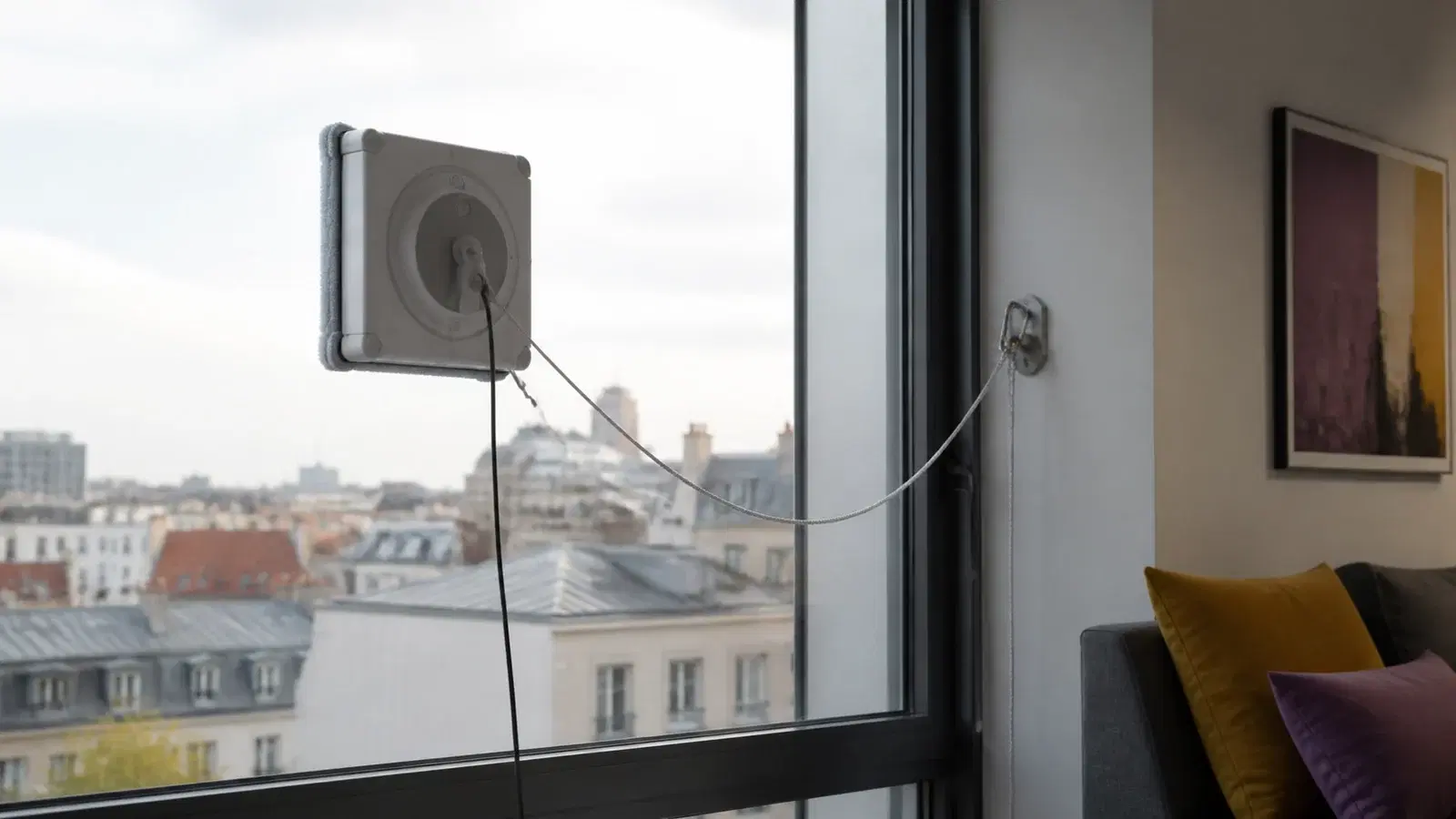
Renting is most useful when you have many large, flat and accessible panes but need the device only occasionally. Confirm glass type and thickness, frames, minimum pane size, cable reach, edge detection and backup battery for the exact model. Always attach the safety tether to a strong indoor anchor, keep the robot supervised and follow that model's manual.
When rental is worth it
Rental suits seasonal cleaning, a new home with large glazing, or a trial before purchase. Include setup, pad changes, transfers between panes and manual finishing of frames and corners—not just the robot's movement time.
Buying may make sense for frequent cleaning across many compatible panes. Numerous small segments, deep handles or no safe indoor anchor reduce the benefit. A robot is not a substitute for professional work at height and does not eliminate every manual step.
Compatibility means more than 'made for windows'
Do not generalise from another brand or model. Edge detection, minimum thickness and pane size vary. Ask for the exact model and manual before paying.
Cracks, raised films, stickers, silicone, gaps and heavy moisture can affect suction or sensors. If glass is damaged, resolve its safety before cleaning. Mirrors, shower screens and tiles are suitable only where the exact instructions say so.
| Surface or condition | What to verify |
|---|---|
| Flat framed glass | Minimum pane size, handles and frame height |
| Frameless glass | Explicit manual approval and suitable edge detection |
| Small or narrow panes | Turning room and safe starting distance |
| Textured, filmed or damaged glass | Manual exclusions and reliable suction |
| Tilted or horizontal surface | Whether that orientation is explicitly supported |
| Exterior face | Wind, rain, temperature, cable and an exclusion zone below |
Sources: ECOVACS, ECOVACS Support
Seven features worth comparing
A headline suction figure does not determine cleaning quality by itself. Surface preparation, pad moisture, sensor cleanliness, route and the type of dirt all matter. Grease, construction dust and dried deposits may need pre-cleaning.
- Edge and obstacle detection, especially for frameless panes and handles.
- A separate tether, locking carabiner, backup battery and audible warnings.
- Power cable and extension reach without tension or dangerous loops.
- A systematic cleaning path, while accepting that corners may need hand finishing.
- Permitted solution and a spray system that cannot be accidentally overfilled.
- Enough clean, model-specific pads for the full surface area.
- Controls and fault alerts that let you stop and retrieve the robot safely.
The safety tether is not optional
Attach the tether to a strong, fixed indoor point exactly as the manual requires. A light chair, loose radiator part or decorative handle is not an anchor. Lock the carabiner and avoid excess slack that would increase fall distance.
Keep people, animals and fragile objects out of the area below. Never leave the appliance unattended or use it in rain, snow or strong wind. Keep sensors and tracks clean and follow the model's temperature, humidity, altitude and glass-thickness limits even when it appears to adhere.
Sources: ECOVACS, ECOVACS Support
A safer cleaning sequence
Remove loose grit from the starting point and clean the sensors first. A dirty pad can smear a whole pane or drag abrasive particles. Dampen it only as instructed; too much liquid can impair adhesion and unapproved chemicals may damage the device.
Start at the manual's distance from edges and handles. Supervise the first pane through a full cycle. At the end, hold the handle, stop the fan as instructed, remove the robot and release the tether last.
Checklist
- The exact manual has been read
- Glass is intact, flat and large enough
- Sensors, tracks and start area are clean
- Tether is locked to a strong indoor anchor
- The area below is clear
- Cable is slack-free and backup battery charged
- Pad moisture and solution are correct
- The robot remains supervised
Pickup and return checks
At pickup, test the fan, spray, sensors, alerts and battery on safely reachable glass. Photograph the body, pad count, adapter, cables, remote, tether and carabiner. Agree cleaning and permitted-solution rules.
Before return, empty the reservoir if instructed, clean pads using the approved method and wipe sensors and tracks dry. Coil cables gently and report errors or weaker adhesion instead of concealing them.
Worked scenario: a controlled first run
Before collection, count the panes and estimate the smallest and largest uninterrupted glass areas. Mark frameless edges, sloping roof glass, films, cracks, narrow sections and exterior faces that are not safely reachable. Compare this list with the exact manual. A generic statement that a device 'cleans windows' is not confirmation that it suits every surface in your home.
Lay out the robot, adapter, mains cable, extension, tether, carabiner, remote and pads at handover. Photograph condition and check for a frayed tether, loose connector or contaminated pad. Run the first test on framed glass that you can reach while standing normally on the floor. A ladder or chair introduces a separate fall hazard that the robot does not solve.
The anchor must be structurally sound and indoors. A radiator fitting, light chair, window handle or adhesive hook is not automatically suitable. Keep the tether away from sharp edges and short enough that a detached device cannot strike a person or fragile object. Even with a backup battery, the tether remains the mechanical safeguard when power or suction is lost.
Watch a complete short cycle and listen for changes in fan sound, movement and edge detection. Remove the unit as instructed if it slips, vibrates unusually, repeats a path or reports a fault. Adding more liquid is not a universal cure: excessive moisture may reduce grip, while a dirty sensor, pad or incompatible pane may be the real cause.
Inspect each finished pane in daylight and complete inaccessible corners by hand from a safe indoor position. Let pads dry before packing, coil the lead loosely and recheck the tether and carabiner. Record every error and the conditions in which it appeared. A precise fault note is more valuable to the owner and next renter than returning a superficially tidy kit with an undisclosed problem.
Assess value across the whole cleaning project. Add collection, return, approved solution, pad washing and the time still required for frames and corners. Compare that total with a professional quote and a genuinely safe manual method, not only with the retail price of a robot. Where outside glass cannot be reached without entering a fall-risk area, the device is not a substitute for professional access controls. A useful trial ends with more than clean glass: you should know exactly which panes were compatible, how much supervision the unit required and whether a future rental would remove enough repetitive work to justify the logistics.
Where the home contains several glass types, keep a compact result log: surface, selected mode, pad moisture, cycle time and any remaining marks. Change one variable at a time so the cause of a better or worse result remains identifiable. The note makes a later rental faster because incompatible panes can be excluded immediately and the number of clean pads can be estimated from evidence rather than guesswork.
Frequently asked questions
Will it clean window corners?
Often not completely. Body shape and pad coverage leave some corner work, so budget for a brief manual finish.
Can it be used on frameless glass?
Only where the exact model and manual explicitly support it, with suitable edge detection and starting distance.
What happens during a power cut?
Many models have a safety battery that temporarily maintains adhesion and sounds an alert. It is not normal operating power; the tether and mains connection remain necessary.
Can I leave it running alone?
No. Manufacturer safety instructions require supervision, tethering and a clear area below so you can respond immediately to a fault.
Sources and methodology
Fact-checked 9 August 2026
- WINBOT W1S Instruction Manual — ECOVACS
- Installation and Use Guidance — ECOVACS Support